
18 Nov 2026
At the bedside, medical device needs can change quickly. As monitoring, ventilation, and other specialty equipment are added or removed, clinicians and technical teams need a clear view of what is connected and what information is available.
Fixed screen panels can make that task more difficult. A layout that works well for a simple configuration may become crowded as more devices are connected, requiring users to navigate between screens for status and context. Dynamic sizing is a potential solution to this problem.
Philips Capsule Vitals Stream (or Vitals Stream) is an application that runs on the Philips Neuron Connectivity Console. The application provides a bedside view of connected medical devices, connectivity status, and vitals data.
The latest release of the Vitals Stream application introduces dynamic sizing, which adjusts each device panel on the Neuron screen based on the number of connected medical devices. When fewer devices are connected, panels remain larger and easier to scan. As medical devices are added, panels are dynamically resized so more panels can fit on the Neuron display, and device information remains visible in the same view.
Instead of asking users to work within a fixed panel arrangement, the display responds to the current bedside configuration. Device, hub, and network information remains available as a shared reference for clinical, IT, and Biomed teams identifying connected devices or investigating connectivity.
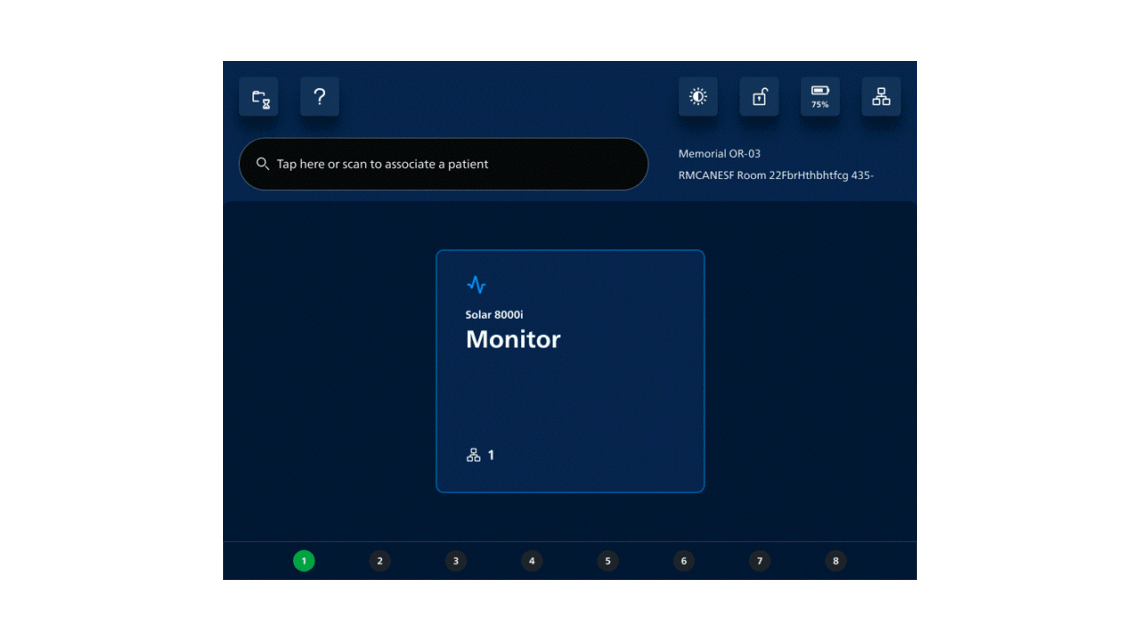
By adapting the screen layout to the connected device configuration, dynamic sizing can help teams:
In intensive care units, operating rooms, and neonatal care settings, the mix of connected devices can change as a patient’s condition, procedure, or therapy evolves. A bedside may move from a relatively simple medical device mix to one that includes additional monitoring, ventilation, or other specialty equipment. Teams need to understand the current configuration without losing visibility as devices are added or removed.
Dynamic sizing in Vitals Stream supports teams in responding to these changes. An adaptable layout provided by dynamic sizing reduces unnecessary navigation between screens and support a quicker assessment of the bedside configuration and available patient data.
A consistent, organized view can also support coordination across clinical, IT, and Biomed teams. Clinical teams can review connected devices in the same bedside view, which becomes very important in high-acuity settings. Vitals Stream adapts to the medical devices currently connected, helping maintain visibility and clarity as high-acuity workflows evolve.
Bedside views require technology that can accommodate change without adding unnecessary complexity. By adjusting the Vitals Stream layout to the devices currently connected, dynamic sizing helps keep bedside information visible, organized, and easier to review. The result is a more adaptable view that can support awareness and coordination as patient and device needs evolve.
We would like to hear from you. Please let us know how dynamic sizing in Philips Capsule Vitals Stream can help your teams maintain a clear, adaptable view of connected devices as bedside needs change. Reach out at MDIProdMgmt@philips.com to share your thoughts.
Learn more about Vitals Stream and Philips Capsule’s latest connectivity solutions.
Download